The kill switch for
revenge trading
For traders running MetaTrader 5 on their iPhone. EmotionLock reads your MT5 trades every 5 seconds, and the moment you hit your daily limit, your trading apps are blocked at the iOS level.
Trial starts when you connect your MT5. No payment, no commitment. iPhone (iOS 16+).
How it works
From account to kill switch in seven steps
Set it up once. EmotionLock reads your MT5 trades and blocks your trading apps automatically, every day.
60 seconds, no card needed.
So iOS can enforce the block.
Pick your trading apps.
Investor password only.
Every closed trade counts.
iOS enforces it, not you.
Same rules, every day.
Works with every MT5 broker and prop firm
See the difference
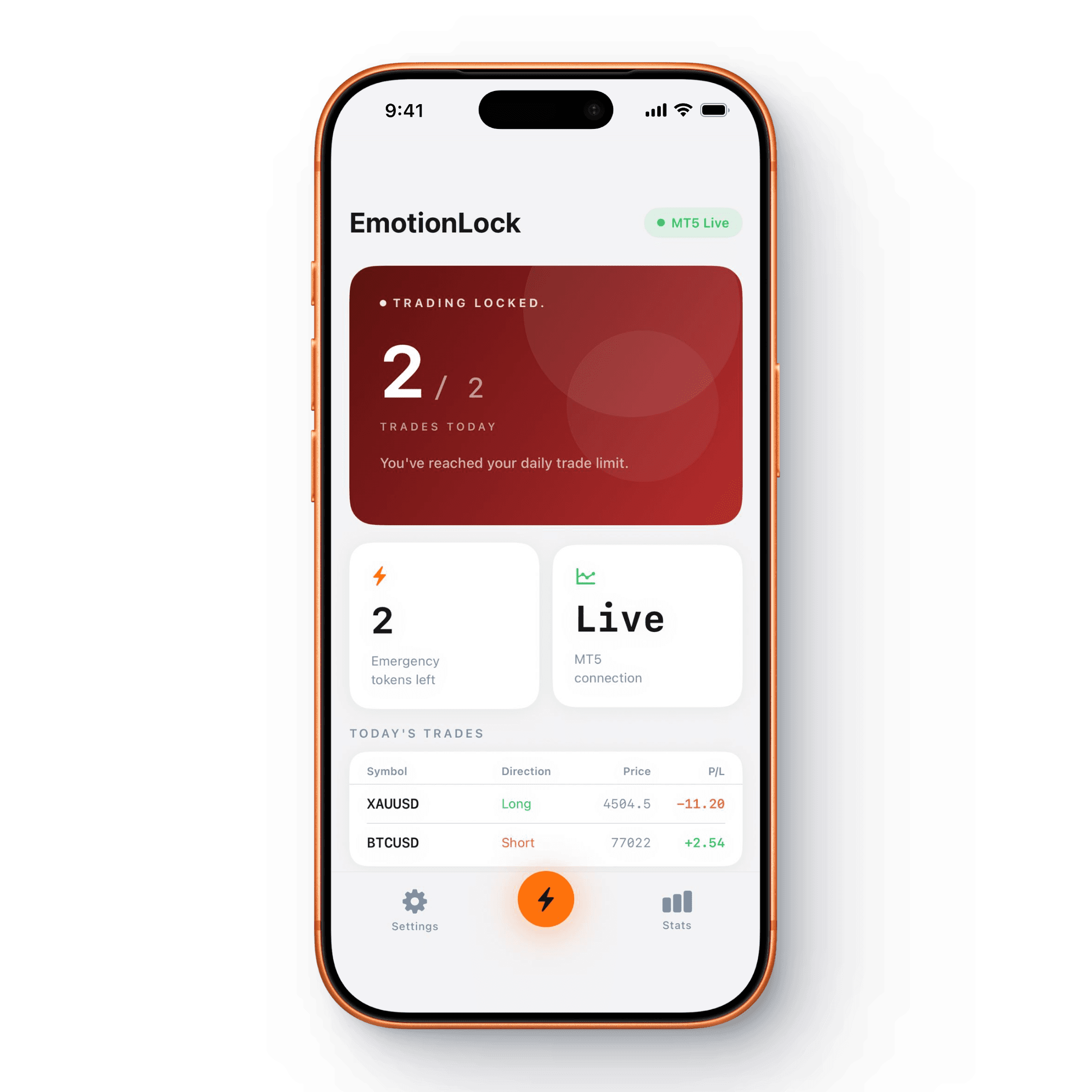
From Stay disciplined to Trading locked.
The moment you hit your daily limit, the state flips. No tap required.
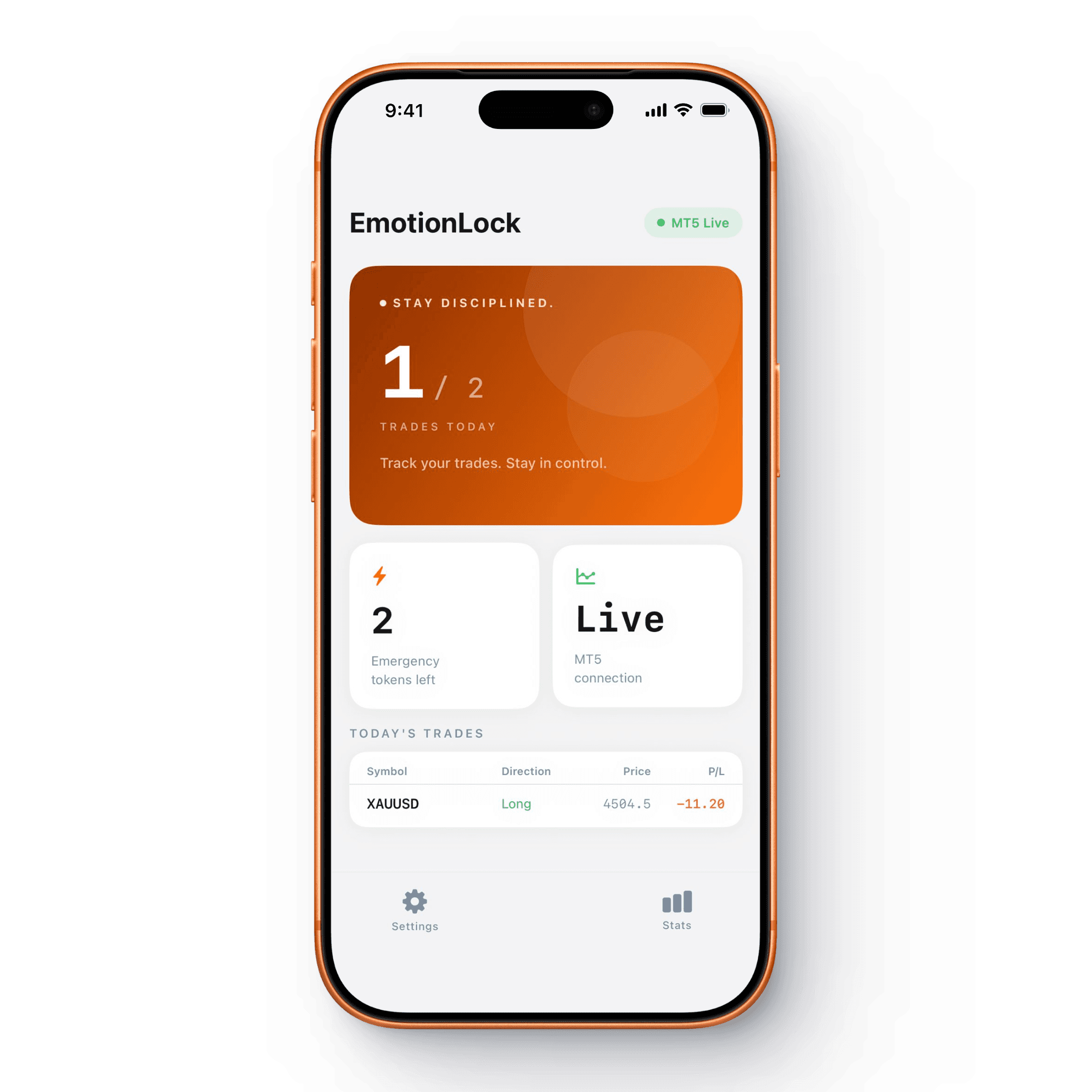
You set the daily trade limit. EmotionLock counts each closed MT5 trade in real time.
At the limit, selected trading apps are blocked at the iOS level until midnight in your timezone.

From our founder
“I built EmotionLock after losing a funded account in 60 minutes. Not from a bad strategy. From a bad hour. Discipline is not a personality trait. It is infrastructure.”
Security
Your funds are
untouchable.
EmotionLock can never place or close a trade. Read-only is enforced at the MT5 protocol level, not by our code.
Read security pageInvestor password only
Gives read access enforced by MT5 itself.
Password is never stored
Forwarded to MetaAPI (SOC2) once, then dropped.
Trading is impossible
Protocol-level guarantee, not a software promise.
Pricing
Start your free trial now.
Your free trial starts the moment you connect your MT5. After that, a one-time activation, currently 50% off, and your first month is included.
MT5 activation
€49,99
€24,99
one-time, 50% off
Month 1
€0,00
included
Month 2+
€9,99
per month
- Real-time MT5 monitoring
- iOS Screen Time enforcement
- Discipline Score and streaks
- 2 emergency tokens / week
- Push notifications
- Read-only at protocol level
iPhone (iOS 16+). Payments via Apple. Cancel anytime in iOS Settings.
Frequently asked questions
Got a different question?
Reply within one working day, from the founder. Usually faster.
Bart Janssen
Founder, EmotionLock
Is my MT5 investor password safe?
EmotionLock only asks for your investor password, which is read-only at the MT5 protocol level. Placing trades is technically impossible. The password is forwarded once to MetaAPI (SOC2 certified) and then deleted from our systems. It is never written to our database.
Which brokers and prop firms are supported?
Any broker that supports MetaTrader 5. IC Markets, Pepperstone, Vantage, XM, FusionMarkets, OANDA, Exness, Tickmill. Also works with FTMO, FundedNext, MyFundedFX, The Funded Trader, E8 Funding and any other prop firm that issues MT5 accounts.
What happens when I hit my daily trade limit?
The status flips from STAY DISCIPLINED to TRADING LOCKED. The trading apps you selected are blocked at the iOS Screen Time level for the rest of the day. You receive a push notification. The block resets at midnight in your local timezone.
Can the block be bypassed?
Not by you. Screen Time is enforced at OS level. Reinstalling the app does not unlock anything. The only way out is an emergency token, of which you get 2 per week. Resets Sunday 22:00 CET/CEST.
What is the Discipline Score?
A single number from 0 to 100 in the Stats tab. It is the percentage of active trading days where you stayed within your daily limit, rolling over 7 or 30 days. Labels above 90 are Excellent, 75 to 89 Good, 50 to 74 Fair, below 50 Struggling.
Does it work on Android?
Not yet. EmotionLock is iPhone only (iOS 16+) because the block is implemented through the Apple Screen Time and Family Controls APIs. Android is in development.
How does the 4-day free trial work?
The trial starts the moment you successfully connect your MT5 account. No payment, no commitment. After 4 days you activate by paying the one-time fee, currently 50% off at €24,99 (normally €49,99). The first month of the subscription is included. From month 2 it is €9,99 / month, cancel anytime in iOS Settings.
Learn
Everything we know about revenge trading.
Revenge trading is not a discipline problem. It is what happens when a loss spikes your stress response and the part of your brain that follows rules briefly stops working. We wrote out what actually happens in the first 30 seconds after a loss, and how one loss turns into ten trades once that window opens.
If you are in it right now, start with the five-minute tilt protocol. If you are past the point where advice helps and you want the thing to be mechanically impossible, read about building a kill switch on MT5 or how to enforce a daily loss limit. And if the losses have started to be something you hide, that is a different and more serious problem, and we wrote about that too.
Start here
Revenge trading: why it happens and how to actually stop it
The biology of the post-loss window, why every willpower-based fix fails, and what an enforcement layer really changes.
Read the guideCompared
Best apps to stop revenge trading
Ranked by the only thing that matters: what happens at the moment you want to override it. Includes the free option that beats two paid ones.
Read the guideGuide
How to block yourself from trading
Every method, from broker self-exclusion to device-level blocks, ranked by how fast you can undo each one when you want to.
Read the guideDecision tree
Revenge trade, or a valid re-entry?
You got stopped out and the setup is still there. Five questions that tell the difference in ten seconds.
Read the guide